python_process_object_opencl.py source
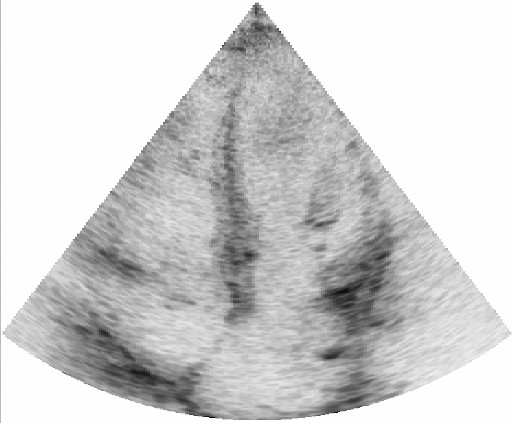
An example showing how to make a FAST process object in python which uses OpenCL to invert an image on the GPU.
An example showing how to make a FAST process object in python which uses OpenCL to invert an image on the GPU. A process object (PO) is a pipeline object which performs processing on zero or more input data and generates zero or more output data.
import fast


class OpenCLInverter(fast.PythonProcessObject):
    """ A python process object which simply inverts an uint8 image with OpenCL """
    def __init__(self):
        super().__init__()
        self.createInputPort(0)
        self.createOutputPort(0)

        # Create an image invert OpenCL kernel inline:
        self.createInlineOpenCLProgram(
            '''
            __const sampler_t sampler = CLK_NORMALIZED_COORDS_FALSE | CLK_FILTER_NEAREST | CLK_ADDRESS_NONE;
            __kernel void invert(
                __read_only image2d_t input,
                __write_only image2d_t output
                ) {
                int2 pos = {get_global_id(0), get_global_id(1)};
                int value = read_imageui(input, sampler, pos).x;
                write_imageui(output, pos, 255 - value);
            }
            '''
        )

    def execute(self):
        # Get input image and create output image:
        image = self.getInputData()
        outputImage = fast.Image.createFromImage(image)

        # Get kernel from OpenCL program
        kernel = self.getKernel('invert')
        # Provide arguments to the kernel
        kernel.setArg('input', image)
        kernel.setArg('output', outputImage)

        # Add the kernel to the command queue
        self.getQueue().add(kernel, image.getSize())

        # Pass on the output image
        self.addOutputData(0, outputImage)


# Set up pipeline as normal

# Stream some ultrasound data
importer = fast.ImageFileStreamer.create(
    fast.Config.getTestDataPath() + 'US/Heart/ApicalFourChamber/US-2D_#.mhd',
    loop=True,
    framerate=40,
)

# Set up the Inverter process object
inverter = OpenCLInverter.create().connect(importer)

# Run pipeline and display
fast.display2D(inverter)